Golf Skins Game Graphics: Show the Money on Every Hole
2026-11-09 · Score Graphics
Nothing gets a golf video going like money on the line. A skins game turns every hole into a mini event: win it outright and you take the cash, tie and it carries over, and three ties in a row means the next hole is suddenly worth a lot. Viewers love it, as long as they can keep track of who's winning. A skins overlay keeps the money in front of viewers on every shot.
Here's how a skins game works, what your graphics should show, and how to keep the money right on every shot.
How a skins game works
- $100Every hole is worth a skinA common amount in videos. It can be points instead.
- LowThe lowest score wins itOutright only. A tie for lowest and nobody wins.
- Ties carry overThe money rolls on. Some groups push or split instead.
- Net or grossNet gives handicap shots on the hardest holes by stroke index.
Plenty of groups add extras: a bonus for a birdie or an eagle, a press that doubles a hole, greenies for closest to the pin on a par 3, sandies for an up and down from a bunker, and side bets on the front nine, back nine and overall.
How the money moves
Here's a $100-a-hole game over six holes, with ties carrying over. Watch the third and fourth holes:
After six: Sam has won $300 from one hole, Dave $200 from two, and $100 rides on the 7th. That's what your graphics need to keep track of.
What the graphics should show
In a skins video, the money is the score. Instead of a score to par, each player's graphic shows what they've won so far, or how far they're up or down once their share of the payouts is taken off. On top of that:
- $400What the hole is worthBefore anyone tees off, carryovers included.
- How many holes have carriedSo the size of the pot makes sense.
- ×2PressesWhen a hole is being played for double.
- The winnings changingAs the putt to win the skin drops.
Show the money going into the hole, and change it only when the hole is won. Putting $400 next to a player's name on the tee gives the result away.
Keep the money right
Skins is the hardest format to do by hand. A carryover changes what every later hole is worth, a net shot changes who won, and a missed tie throws off every graphic for the rest of the round. Then there's the playoff if money is still carried after the 18th. The easiest fix is to never work it out yourself.
Skins in the Score Graphics Generator
The Score Graphics Generator has a Skins mode built in. Set the game up once and it works out the money for every shot:
- The skinDollars, pounds, euros or points, any hole worth more.
- TiesCarry, push or split, with a playoff for money left at the end.
- Net or grossShots given by stroke index.
- Presses, bonuses and extrasBirdies, greenies, sandies, chip-ins, side games and more.
- Who paysEveryone pays the winner, or a pot everyone puts into.
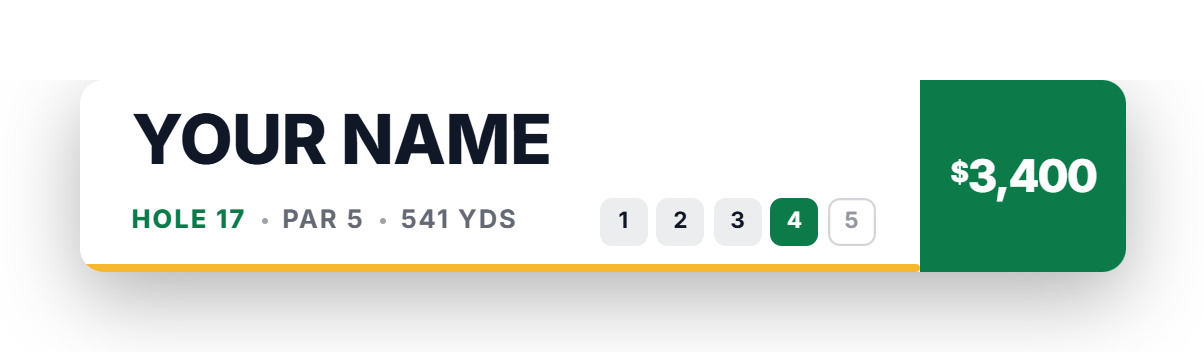
The graphics show each player's winnings (or how far up or down they are), big amounts set to fit the box. Before each hole, the hole info card can show what's on the line, how many holes have carried, and whether it's pressed. On Pro, the scorecard after every hole and a leaderboard of the money keep the whole group in view.
Tips for skins videos
- Explain it in the first minuteStakes and rules, and viewers follow the rest.
- Make the big skins bigThree holes carried? Linger on the hole info card.
- Leaderboard at the turnA money recap after nine.
- $1.2KKeep amounts readableFaster to read than $1,200 in a small box.
 Beginner's guideHow to Make a Golf Score Graphic